Introducing Corridor
Cross-Platform Clipboard Sync That Just Works
The Copy-Paste Nightmare
You're coding on your Linux machine and need to copy a command to your Windows desktop. You copy it, reach for your phone to message yourself, realize that's ridiculous, try email, wait for it to sync, finally paste it 30 seconds later.
Or you're debugging on your laptop, find a solution, and need it on your desktop. So you Slack yourself. Again. For the hundredth time today.
What if your clipboard just... worked across all your devices? Instantly. Without thinking about it.
Welcome To Corridor
Corridor is a real-time cross-platform clipboard synchronization application that makes your clipboard work seamlessly across Windows, Linux, Android, and Web.
Copy once, paste anywhere. No manual syncing. No messaging yourself. No delays. Just instant, automatic clipboard synchronization across every device you own.
Instant Real-Time Sync
Copy on one device, paste on another in milliseconds. WebSocket-powered synchronization with <100ms latency across your devices.
Truly Cross-Platform
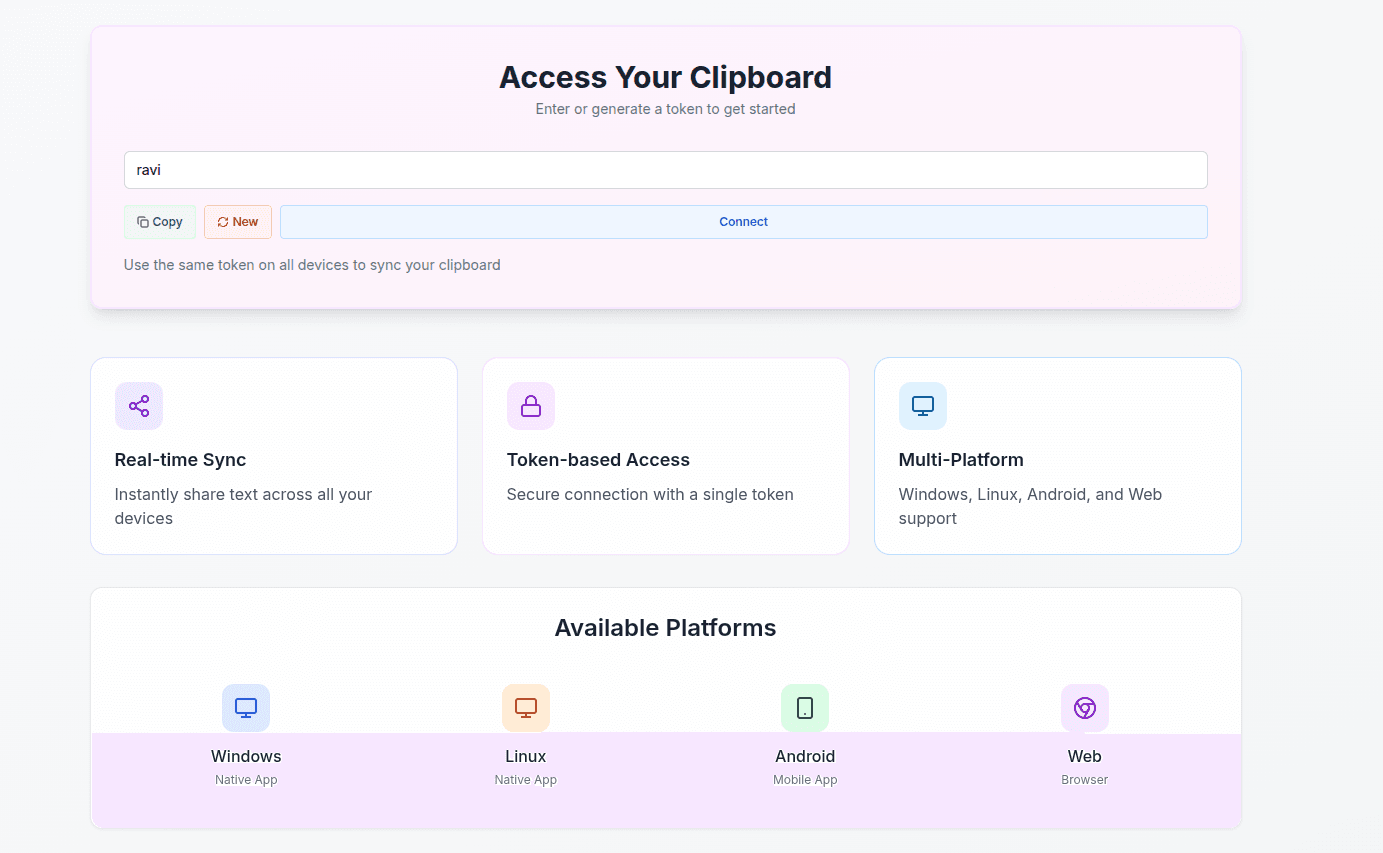
Native apps for Windows (.NET), Linux (Rust), Android (Kotlin), and Web. All platforms working seamlessly together.
Zero Configuration
No account creation, no passwords. Just a simple token to connect your devices. Start syncing in under 30 seconds.
Serverless Edge Network
Powered by Cloudflare Workers for global low-latency access. Your clipboard travels through the fastest edge network.
How It Works
Generate a Token
Visit the web interface and create a simple token: any alphanumeric string. This becomes your private sync room. No registration, no passwords, no hassle.
Install on Your Devices
Download the native app for each platform: Windows (.NET), Linux (Rust), Android (Kotlin), or use the web interface. Installation takes seconds.
Enter Your Token
Input the same token on all your devices. They instantly connect to the same sync room through Cloudflare's global edge network.
Copy and Paste Freely
That's it. Copy anything on any device, and it's instantly available to paste on all your other devices. Real-time, automatic, seamless.
Native Apps for Every Platform
Windows
.NET 9.0
Native desktop app with system tray
Linux
Rust
Lightweight 3MB binary
Android
Kotlin
Jetpack Compose UI
Web
Next.js
Browser-based access
Powered By Modern Tech
Why Corridor is Different
True Real-Time Sync
WebSocket connections mean <100ms latency. Not polling, not refresh intervals, instant synchronization the moment you copy.
Lightweight Native Apps
Linux app is just 3MB. Windows app is a single 48MB executable with no dependencies. Android app uses modern Jetpack Compose. No Electron bloat.
Serverless Edge Computing
Runs on Cloudflare Workers: globally distributed, zero cold starts, instant response times from the nearest edge location.
Privacy by Design
Token-based authentication. No accounts, no tracking, no analytics. Your clipboard data is isolated to your token room.
Offline Support
Clipboard changes are queued when offline and automatically sync when connection is restored. Never lose your work.
Cross-Platform Done Right
Not a web wrapper. Native apps in Rust, .NET, and Kotlin, each optimized for its platform. Plus web access when you need it.
Ready to Sync?
Corridor is free and open. Visit our website to download native apps for all platforms and start syncing your clipboard in under a minute.
The Bottom Line
Corridor solves a problem we've all faced: the friction of moving content between devices. By combining WebSocket real-time sync, serverless edge computing, and native apps for every platform, it makes your clipboard work the way it should have from the beginning.
No more messaging yourself. No more waiting for email to sync. Just copy, switch devices, and paste. It's that simple.